Learn Programming in .NET(Visual Basic)
A legacy Language
Even though Visual Basic,net is being used less than in the past; it may still be embedded in a lot of old computer code; hence you may encounter it, and may need to know it to fix problems you encounter. This course may in that respect be a legacy code, but none the less important for some programmers to know and understand.
This course provides a comprehensive introduction to Visual Basic.NET.
It assumes the student has no previous knowledge of Visual Basic or computer programming.
By the end of the course, the student should be able to easily understand all the major aspects of Visual Basic.NET and use it to produce their own windows based applications.
Is this course right for me?
If you are experienced in IT but would like to expand your skills and career opportunities this course will give you the knowledge to do so. complement your knowledge. Visual basic is more sophisticated than html and can produce more sophisticated websites.
Duration - 100 Hours
Study online at your own pace
Using our modern online portal for study is a simple and effective way of learning. Once enrolled, you will receive your online account to our login.training system that will give you all the lessons assignments and self-assessment tests so you can start studying straight away.
ACS student comment: "I am finding the course very valuable it is keeping me focused and the content is excellent. I have a tendency to go off on tangents but the structure of the course keeps me on track."
Bill Anderston, Aust - Visual Basic.Net course
It assumes the student has no knowledge of Visual Basic or computer programming at all, but they must have access to a computer with either Visual Studio.NET or Visual Basic.NET installed.
Microsoft’s ‘.NET’ platform was released in 2001 as a new feature to their Windows family of products. This affects many aspects of Information Technology because Windows products are responsible for a major share of home and office computers systems and website servers on the Internet. The technology behind .NET allows programmers (often called ‘developers’) to create software programs or applications that utilise the wide spectrum of information technology resources used every day by people around the world.
WHAT IS ‘MICROSOFT.NET’?
Microsoft explains the concept of .NET in these words:
“Microsoft® .NET is a set of Microsoft software technologies for connecting information, people, systems, and devices. It enables a high level of software integration through the use of Web services—small, discrete, building-block applications that connect to each other as well as to other, larger applications over the Internet.”
CONTENT
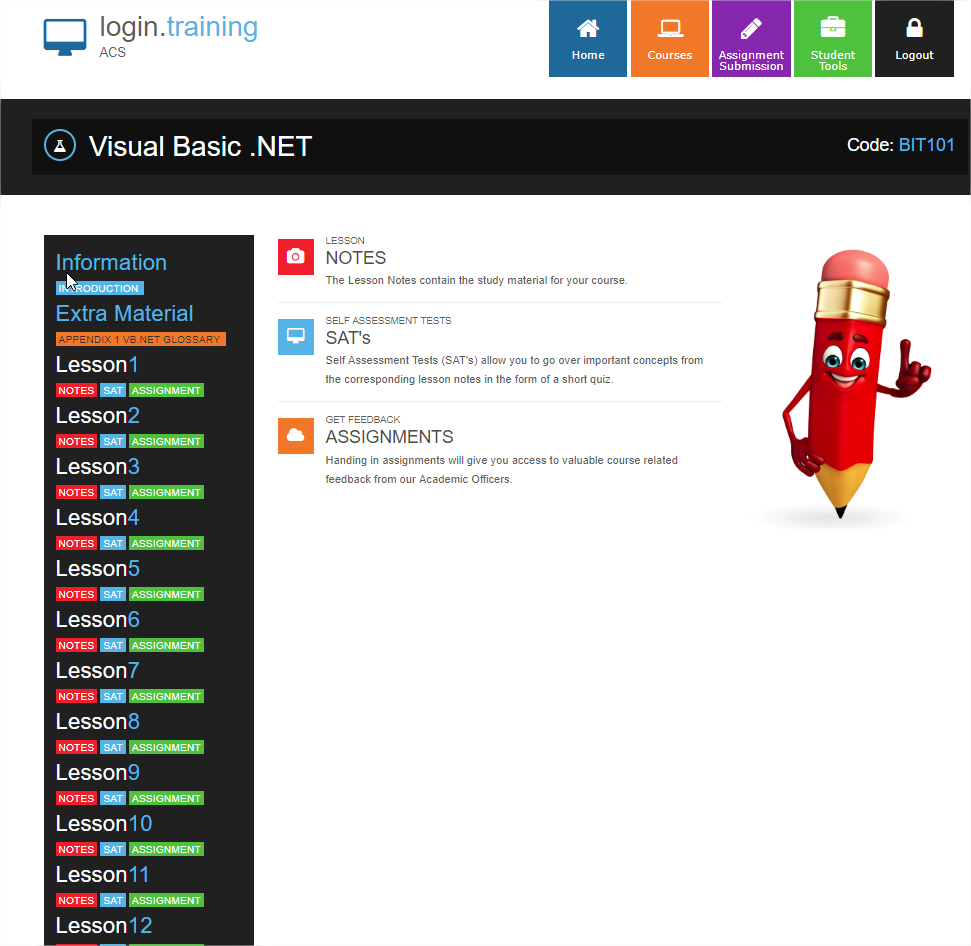
This subject has 12 lessons as follows:
- Introduction
- History of BASIC
- What is Microsoft .NET
- Programs
- Keywords
- Sequence
- Selection
- Repetition
- Methods
- Object libraries
- Writing programs
- Integrated Development Environment
- Your first program : Hello World
- A console program
- Hello World explained
- A windows based program
- Variables
- What are variables
- Arrays
- Hungarian notation
- Kinds of variables (Data types)
- Assigning variable values
- Operator precedence
- Strings
- Hard coding variables
- Programming exercise
- Using variables
- Comments
- Understanding conditional statements
- Program flow and branching
- Sequence
- Selection
- if statements
- if...else statements
- Nested ifs vs elself
- The select statement
- Repetition (looping)
- For loop
- While loops
- Do loops
- Evaluating conditions with boolean expressions
- Comparison operators
- And, or and not
- Formatting code (indenting)
- Programming exercise: countdownTimer1_Tick() explained
- Button1_Click() explained
- I/O handling
- What is a file
- Data files
- Program files
- Saving files
- I/O
- Accessing files
- Sequential files
- Random files
- Binary files
- Opening files
- Namespaces
- Streamreader and streamwriter classes
- Streams
- Programming exercises: Writing a file (output), Reading a file (input)
- Exercises explained
- Reading files by line
- Controls and Objects : An Introduction
- Controls
- Objects
- Programming exercises
- Simple poker machine
- Stepwise development
- Structured Programming using Modules
- Modular program techniques
- Top down vs bottom up
- Modules and methods
- Methods
- Method header
- Parameters
- Arguments
- Cohesion and coupling
- Variable scope
- Local vs global variables
- Passing values
- Procedures vs functions
- Programming exercise: Simple calculator
- Properties, Methods, Events and Classes
- Objects and classes
- OOP concepts
- Fields, properties, methods and events
- Encapsulation, inheritance and polymorphism
- Overloading, overriding and shadowing
- Access levels
- Constructors and destructors
- Programming exercise: Cat class
- Inheritance
- What is inheritance
- When to use inheritance
- Inheritance rules
- Inheritance modifiers
- Overriding properties and methods
- MyBase
- MyClass
- Programming exercise: club members
- Polymorphism
- What is polymorphism
- Using polymorphism
- Programming Exercise: Club members
- Using Controls
- Types of controls
- Button
- Label
- Text box
- List box
- Combo box
- Check box
- Radio button
- HScroll bar
- VScroll bar
- Picture box
- FolderBrowserDialog
- Group box
- Timer
- Using controls
- Debugging
- Programming errors
- Types of bugs
- Syntax errors
- Logic errors
- Runtime errors
- Finding bugs
- Breakpoints
- Trapping Errors with Try ... Catch
- Developing a Complete VB.NET Application
- System development lifecycle
- System request
- Analysis and design
- Programming
- Testing and acceptance
- Installation, implementation
- Maintenance
- Using interface design (UID)
- Appendix 1 Glossary of Visual Basic .NET Terminology
- Appendix 2 Visual Basic .NET Resources
Each lesson culminates in an assignment which is submitted to the school, marked by the school's tutors and returned to you with any relevant suggestions, comments, and if necessary, extra reading.
AIMS
- Understanding of the basic concept of computer programming and how it fits in with the .NET framework.
- Understanding how computer programs store values and how they are accessed.
- Understanding how conditional statements are used to affect the flow of a program.
- Learn how to create, read and write files used by your VB.NET application. Also understand how to send information to a printer.
- Understanding the basics of controls and objects.
- Understanding the benefits of using modules to structure your program.
- Understanding properties, methods and events and how they are used in classes.
- Understanding how inheritance is used in VB.NET to re-use code.
- Understanding how to use polymorphism to perform the same functions in different ways.
A NEW APPROACH TO BUILDING WINDOWS SOFTWARE
The .NET Framework simplifies Windows software development. It provides developers with a single approach to build both desktop applications - sometimes called ‘smart client applications’ - and Web-based applications. It also enables developers to use the same tools and skills to develop software for a variety of systems ranging from handheld smart phones to large server installations.
Software built on the .NET Framework can be easier to deploy and maintain than conventional software. Applications can be designed to automatically upgrade themselves to the latest version. The .NET Framework can also minimize conflicts between applications by helping incompatible software components coexist.
 WHAT IS COMPUTER PROGRAMMING?
A computer is a machine that performs a given set of instructions – these instructions are called a program. A computer program is the formalised set of instructions about how to perform a given task or tasks, and is not unlike a recipe for baking a cake. Just like a recipe, in a computer program you identify the ingredients (called variables in a program) and in a careful sequence of instructions (called statements in a program), describe what to do with them to achieve the final result.
When we write computer programs, we use what is called a ‘high level language’ or programming language. Visual Basic.NET is an example of a high level programming language. Most programming languages have similarities to English (e.g. words and structures) that can be fairly easily understood by people. Using the syntax and vocabulary of the programming language, a developer writes a detailed set of instructions, i.e. a program, of what the computer is required to do.
Keywords (also called Reserve Words)
A programming language contains a set of keywords, which form the vocabulary of the language. Generally, most programming languages have only 100 or so keywords, which can be quite quick and easy to learn. Examples of some Visual Basic .NET keywords include:
- Private
- Dim
- New
- If, Else, ElseIf
- End
- Loop
Keywords are used to write the instructions that form a program. These words cannot be used as variable, class, method or property names (more about classes, methods and properties later). A complete list of Visual Basic .NET keywords can be found on the MSN website – refer to Appendix 2 for more information.
Sequence
When writing a list of instructions, it is usual to start off with the first step and then list each subsequent step in the appropriate order until the task is fully described. The same principle is used when writing computer programs. In a program, the order of the instructions (also called statements), is referred to as the sequence of the program. The sequence of instructions in a computer program is very important as a computer will execute them exactly as they are written, from first to last.
Selection
In some cases, it may be necessary to choose between two or more options to complete a task. For example, a description of going shopping might be: if it is not raining walk to the shops, else if it is raining, drive the car. In this case, what happens is dependent on a condition (whether it is raining or not). In a computer program, choosing between different options is called selection.
Repetition (or Iteration)
Many complex tasks are in fact, built up of smaller tasks repeated until the overall task is achieved. A good example of this is a piece of music, where it is common for a sequence of notes to be repeated periodically throughout the whole piece, e.g. a chorus repeated at the end of each verse, or a base line which repeats continuously for the whole song. In computer programming, there are times when repeating a task is required, for example, adding a list of numbers is a repetition of adding a number to a total, until the final total is calculated. In programming, repetition is commonly referred to as looping or iterating.
Methods
The bigger a task is, the bigger the list of instructions. To make programs more manageable, they are usually broken up into smaller sub-sections, which describe a discrete task; a smaller logically separate set of steps. These separate sections are called methods (or sometimes functions, procedures or subroutines) and are then combined to form the larger program structure. Breaking a program up into methods reduces complexity, assists a developer to focus on individual parts of the program, and reduces the likelihood of program errors (called bugs).
Object Libraries
Over time, computer programmers discovered that new programs were often just a new combination of procedures that had been written for other situations. Rather than rewrite those steps every time they were needed, they saved those steps in a generic format (called an object) and grouped them together to form libraries. Examples of ready-made objects include all the Windows elements, like buttons, scroll bars, menus etc. Today, all computer languages come with large libraries of objects which you can use, and as you write your own programs, you will write your own objects.
WHO SHOULD STUDY THIS COURSE?
This course complements a number of other programming courses which we offer (ie. HTML, ASP.NET, SQL and Javascript) Together, these set you up to program web sites well, and provide a foundation for a strong career and for developing other programming skills.
For some of you, there may be no need to study all of these. It all depends upon what else you have done in the past; and where you aim to go in the future.
We provide a FREE COURSE COUNSELLING service to help you choose what you should study; and the best sequence of study. It may be a wise decision to use this before enrolling.
ARE YOU SET FOR THE FUTURE?
When you look around at the positions vacant for jobs, there is one career in IT that holds the most value and knowledge, Computer Programming.
A Computer programmer gains the essential skills that are the foundations of all the IT disciplines. Computer programmers are the ones who write the rules and make what the IT industry is. All software, networks, databases etc have one thing in common, they all have architecture that is build by programmers. Learning a programming language is like learning to speak a foreign language, it is difficult at first to understand, but with practice and learning it is something that can be rewarding and useful.
Your skills that you gain from completing this course are used world wide by many different industries in many different fields, there are industries that have not even emerged yet that will require people who have programming skills.
Do yourself a favour and Jump on the ride of the future and gain the necessary skills that could change your life.